Is Steam hour boosting safe?
Updated October 20, 2026 · 39,488 hours farmed on HourFarming so far
Short answer
Mostly, with two real caveats that have nothing to do with bans. VAC has no mechanism that reacts to idle playtime, and Valve hasn’t enforced its automation rules against ordinary idling in over a decade of people doing it in the open. The actual risks are a refund window you can accidentally burn through, and handing your password to the wrong site. “Mostly safe” is not “guaranteed” — here’s exactly where the line is.
What VAC actually looks for
Valve Anti-Cheat is a signature scanner. When a game connects to a VAC-secured server, VAC checks the running process — memory, loaded modules, known cheat signatures — for software built to give a player an unfair advantage: aimbots, wallhacks, memory editors, that category of thing. It runs in the context of a specific game session on a specific secured server. It does not scan your library, your hard drive, or your account’s playtime history.
Idling a game is outside that scope by construction. HourFarming doesn’t inject anything into a game process, doesn’t modify a game file, and never joins a multiplayer server. From Steam’s side, an idled account looks like a client that logged in and told Steam it’s running a given App ID — the same signal your own PC sends leaving a game open on the main menu overnight. There is no documented case of a VAC ban for pure idling, which fits how the system works: it inspects a running game process for cheat signatures, and an idled game has no cheat process to inspect.
What Valve’s rules actually say
This is the part worth being straight about. The Steam Subscriber Agreement doesn’t say “idling is fine.” Its Automation clause (Section 4) restricts “scripts, bots, macros, or other non-human-controlled systems” from interacting with Steam, and its own list of examples includes “faking gameplay statistics (e.g. inflated wins or losses, XP, playtime).” Read literally, an idle bot reporting playtime sits inside that clause’s wording.
Read against a decade of practice, it hasn’t been enforced that way. Tools that idle games for playtime and trading-card drops have existed openly since the mid-2010s, and Valve’s visible enforcement — terminations, VAC bans, market restrictions — has concentrated on cheating in competitive games and abuse of the trading and market systems, not accounts quietly idling their own library. Valve has never published anything that endorses hour boosting, and the agreement gives them the right to restrict or terminate any account for automation, without prior notice, at their discretion.
So: no service, including this one, can promise immunity from a policy Valve is entitled to enforce whenever it chooses. What we can tell you is what the tool actually does — nothing injected, nothing modified, no multiplayer server touched — and let you weigh that against Valve’s unenforced-but-real wording. Farm on accounts you’re comfortable taking that call on.
The risk almost everyone misses: your refund window
Steam refunds require two things: under 2 hours of playtime on the game, and a request within 14 days of purchase. Both conditions have to hold. Idling counts as playtime exactly like actually playing does, and it accumulates fast when a game is one of 32 running at once. Buy a game, add it to a farming account without thinking, and it can cross 2 hours before you’ve decided whether you actually like it — at which point the refund is gone, whether the hours came from a bot or from you.
The fix is simple: keep games you might return off the farming list until the 14-day window has closed, or until you’re sure you’re keeping them. This has nothing to do with bans or Valve policy — it’s just how the refund rule is written, and it applies identically whether you idle, play normally, or leave a game open by accident.
What hour totals do and don’t mean elsewhere
Steam review pages show two playtime numbers next to a review: total hours, and hours at the time the review was written. Idling doesn’t write reviews and doesn’t retroactively change what a review said at the time — but it does inflate the total-hours figure anyone sees next to your profile on that game, on hours you may not have actually played. That’s a credibility question for you to weigh, not a safety one, but it’s worth having eyes open about what an inflated total actually communicates to other players.
A related question comes up constantly for CS2 players: does idled playtime help or hurt the hidden Trust Factor score matchmaking uses? Short version: hours are one signal among many and can’t outweigh behavior — the full picture is in our CS2 Trust Factor guide.
The risk that has nothing to do with Valve: your password
The realistic way a boosting tool costs someone their account isn’t a ban — it’s handing the raw Steam password (sometimes with instructions to disable Steam Guard “so the bot can log in cleanly”) to a site with no track record. A password plus a disabled Guard is enough for anyone to walk off with an account, no automation detection required. It’s a phishing and account-security problem, not a Valve-policy one — and the well-documented one in this space.
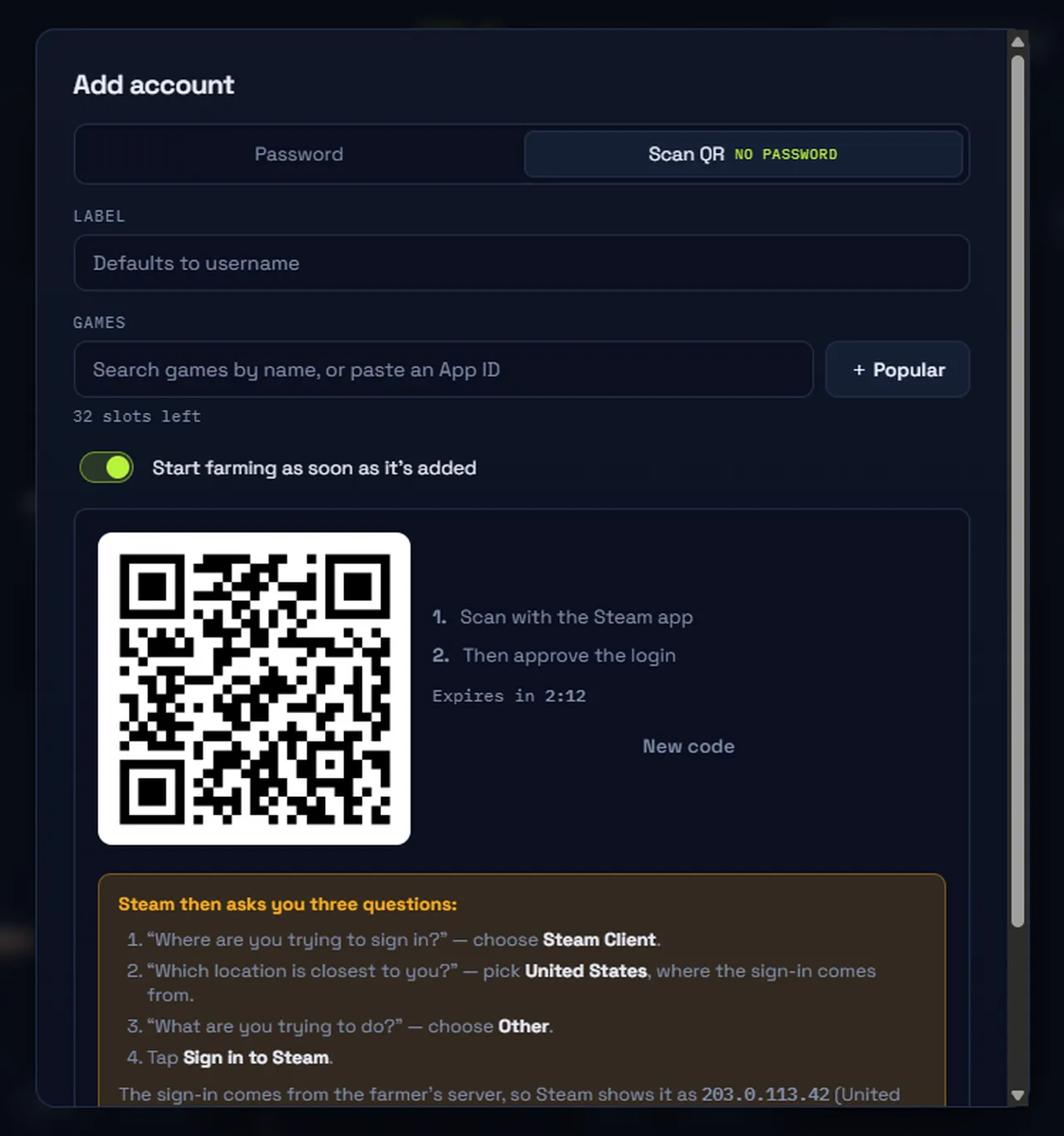
It’s also the reason QR sign-in exists as an onboarding path: you approve the login from the Steam Mobile app you already trust, and HourFarming only ever receives a session token, never your password. A password login is still offered for accounts that need it, and it’s encrypted at rest (AES-256-GCM) rather than handled in plain text — but if a tool asks you to weaken Steam Guard to make automation work, that’s the request to say no to, regardless of which tool is asking. The security page lists exactly what HourFarming does and never does inside an account.
What a well-behaved idler has to get right
Steam allows exactly one active game session per account. If you start playing on your own PC while an account is farming, Steam itself ends the conflicting session — that’s how Steam sessions work, not a courtesy an automation tool extends you. What a tool can get wrong is fighting that: reconnecting immediately, or treating your own login as an error to recover from. HourFarming watches for the same signal Steam sends and pauses instead, resuming once you’re done. The other place tools go wrong is Steam Guard: asking you to disable it, or share a code out of band. The correct behavior is to surface the prompt to you — in the panel, with a desktop notification — and wait, not route around it.
Where this niche’s real problems have historically been
Where Valve has actually acted over the years, the pattern is consistent: automated trading, market manipulation, and cheating in competitive games draw enforcement. Bots placing market orders, farming and dumping cards at scale for profit, or running alongside cheat software in VAC-secured matches are a different category from a client reporting “I’m playing App ID X” and nothing else. HourFarming doesn’t use the Steam Market, doesn’t trade, doesn’t craft or auto-sell cards, and doesn’t touch achievements or VAC-secured processes — which keeps it out of the category where enforcement has actually concentrated. See the card farming guide for what idling does for trading cards specifically, or the self-hosted comparison if you’re weighing this against running ArchiSteamFarm yourself. The same rule holds for profile comments: our Steam comment exchange never posts on your behalf — every comment is typed by a member, which is exactly what keeps it ordinary Steam activity.
None of this is legal advice or a promise about what Valve will do in the future. It’s what the mechanisms actually are, what the agreement actually says, and what a decade of enforcement has actually looked like. Before farming on an account, our free account age checker and SteamID lookup can show you what a profile exposes publicly. See pricing if you’re ready to try it on an account you’re comfortable farming.
Questions
Does Steam ban you for hour farming?
No documented case ties a VAC ban to pure idling. VAC watches for cheat signatures in a game’s running process on VAC-secured multiplayer servers — idling never joins a server or touches a game file, so there’s nothing for VAC to see. Separately, Steam’s Subscriber Agreement lists automated tools among the things it restricts, and its Automation clause names playtime as an example stat that shouldn’t be faked. Valve hasn’t enforced that clause against ordinary idling in over a decade of people doing it — but no service, including this one, can promise Valve never will.
Is it against the Steam Subscriber Agreement?
The letter of it is broader than most people assume: Section 4 restricts “scripts, bots, macros, or other non-human-controlled systems” and lists “faking gameplay statistics (e.g. … playtime)” as an example. Enforcement in practice has targeted cheating, trading fraud and market manipulation, not accounts idling their own library. That gap between the written rule and a decade of unenforced practice is real, and it’s worth knowing before you farm.
Will hour farming affect my refund eligibility?
Yes, and this is the risk people actually trip over. Steam refunds require under 2 hours of playtime and a request within 14 days of purchase. Idle a freshly bought game past 2 hours and the refund window is gone — whether you farmed it on purpose or forgot it was in the game list. Leave games you might return out of the farming list until the window has closed.
Is giving a boosting site my Steam password risky?
Handing your password (or worse, disabling Steam Guard) to any third party is the real security risk in this space — far more than VAC. A stolen password plus a disabled Guard is enough to take an account over outright. QR sign-in through the Steam Mobile app avoids that category of risk entirely: you approve a login, we get a session token, your password never reaches us.
What happens if I play a game while it’s farming?
Steam allows one active game session per account at a time. Start playing on your own PC and Steam ends the farming session for that account automatically; HourFarming sees the same signal and pauses rather than fighting you for it. Stop playing and farming picks back up.
Does hour farming affect review credibility?
Steam reviews show two playtime figures: total hours and hours at the time the review was written. Idling doesn’t write reviews or touch that second figure retroactively — but it does inflate the “total hours” anyone sees next to your name, on a game you may never have actually played. Worth knowing if you review games you farm.